Reorder integrations
Reorder integrations sets the order your chatbox lines are written in, and the order the Integrations page lists them.
Move an integration
-
Select Reorder integrations in the right-hand column.
-
Pick an integration in the list.
-
Select Up or Down to move it one place.
-
Select Save.
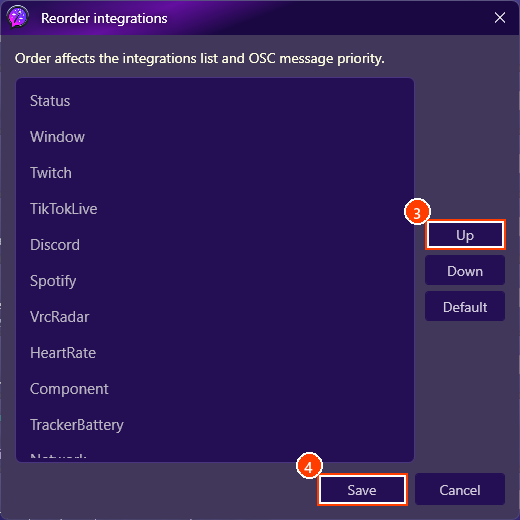 The dialog lists every integration in its current order, top to bottom.
Cancel closes the dialog and throws the arrangement away.
The names are shorter here
This list uses shorter names than the Integrations page. Window is Window activity, HeartRate is Pulsoid Heart Rate, Component is Component ˢᵗᵃᵗˢ, and TrackerBattery is VR gear battery.
Settings for this page
- OSC separator is the character printed between one integration and the next.
- OSC tick / send rate sets how often the reordered line is sent.
- Turn integrations on and off sets what goes into the line in the first place, and the 144 characters they share.
- Lines dropped from your chatbox is where to look when the line runs past those 144.