MediaLink behavior
More than one player can be running at once. MediaLink behavior is where you say which one MediaLink follows, and how long it remembers one you have closed.
Follow whatever is playing
-
Select Options.
-
Expand MediaLink options and scroll to MediaLink behavior.
-
Select Auto switch when media state is changed (must check button on integration page).
The matching button on the Integrations page has to be enabled too, otherwise this setting won't do anything.
-
Select Turn autoswitch on when new session detected to pick up players as they appear.
-
Set Forget session to how long a closed player is remembered.
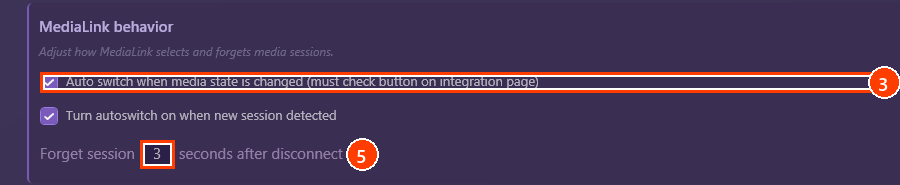
Forget session is in seconds. Keep it short and MediaLink moves on quickly when you close a player. Make it longer if a player keeps going quiet between tracks.
Stopping the same song appearing twice is handled in Spotify options. Open Spotify settings, under Spotify coexistence near the top of the section, goes straight there.