Sort your status list
The two controls at the top left of the Status page reorder your whole status list.
Reorder the list
-
Select Status.
-
Open the sort menu at the top left.
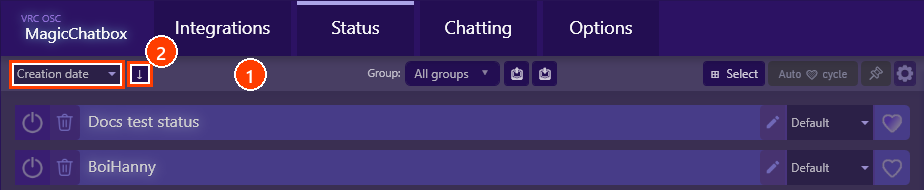 The menu shows whichever sort is in force, here Creation date.
-
Choose Recently used, My 💛 cycles, Creation date or Edit date.
-
Select the arrow beside the menu to reverse the order.
MagicChatbox starts on Creation date, which puts your newest status at the top.